Open

Your orthodontic models, in the browser.
Nothing to install. Free.

tresD Models opens intraoral scans in STL, PLY or OBJ and in seconds you can view them in realistic color, measure them, edit them, prepare them for printing with their base and superimpose two time points of the treatment. Visualization and teaching software.

Open tresD Models

Your scans are never uploaded to any server: everything is processed on your computer.

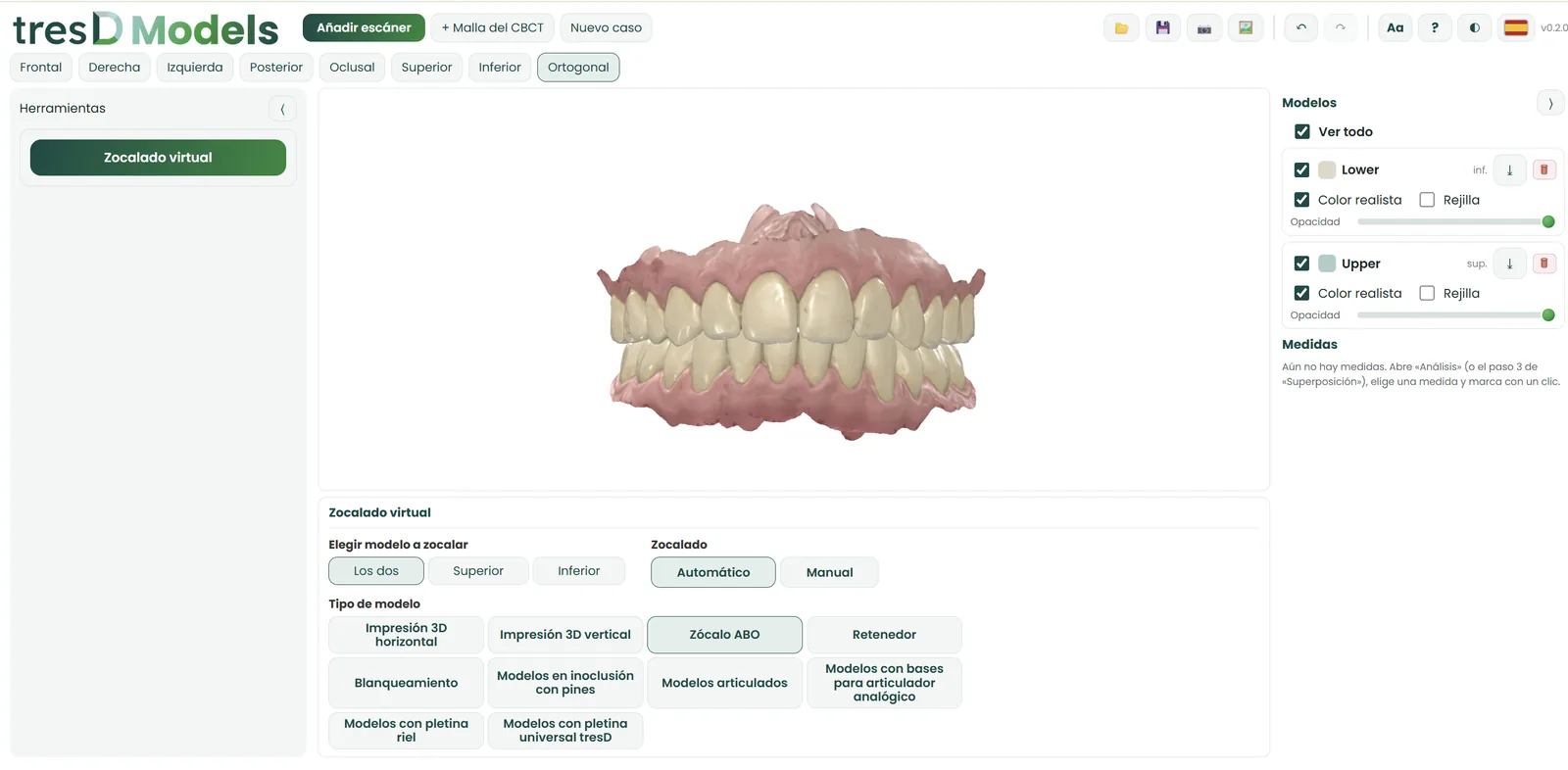
tresD Models interface with the virtual model base of two arches
100% in your browserChrome, Edge, Firefox or Safari, on Windows and Mac
Free, no accountNo sign-up needed to use it
Spanish, English, Portuguese and RussianSwitch language with one click

See a superimposition on video

Two time points of the treatment superimposed, and the video exported from the program itself, in MP4.

Enjoy every one of its features

Everything you need to work with digital models

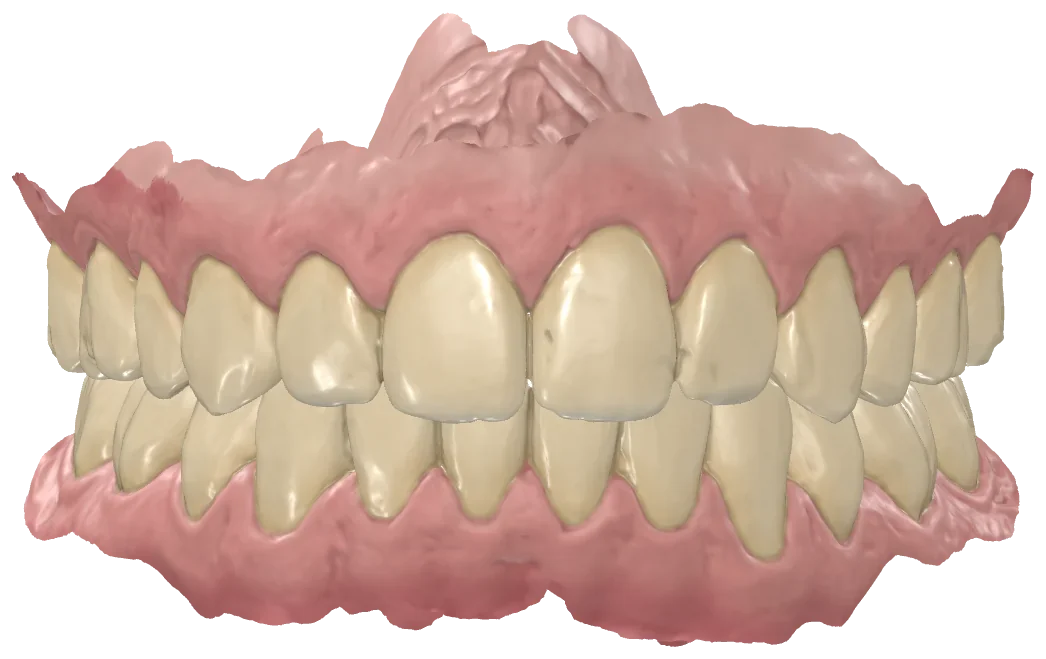
Realistic color on your STLs

STL files carry no color: tresD Models detects teeth and gingiva and paints them automatically, with realistic materials. PLY files keep the scanner's color.

  • Teeth and gingiva detected automatically
  • Solid, wireframe or translucent view
  • Seven views with one click and orthographic view
  • 5-view sheet and viewer image in PNG
Upper and lower arches in realistic color

Edit and clean up the scans

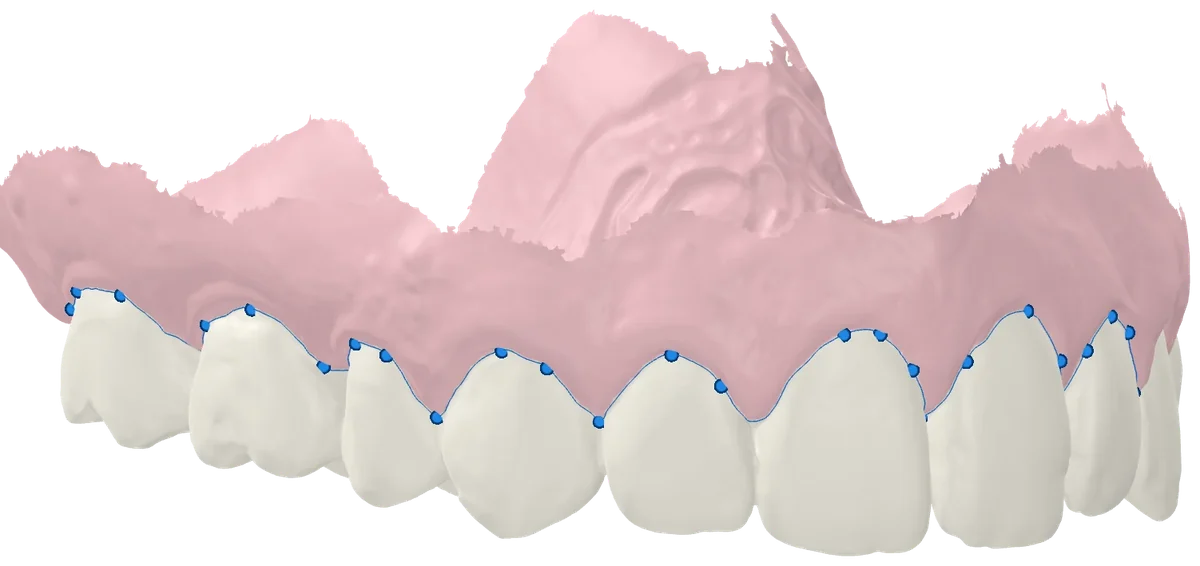
Remove what is not needed with the eraser or the lasso, leave a clean edge with no holes in one click and correct the gingival margin by dragging its points.

  • «Magic» brush: clean edge and fill holes
  • Brushes to add, remove, smooth and drag
  • Remove brackets and fixed retainers
  • Pontics and bars for missing teeth
  • Undo and redo every step
Gingival margin with its editable points

Measure and cut in 2D

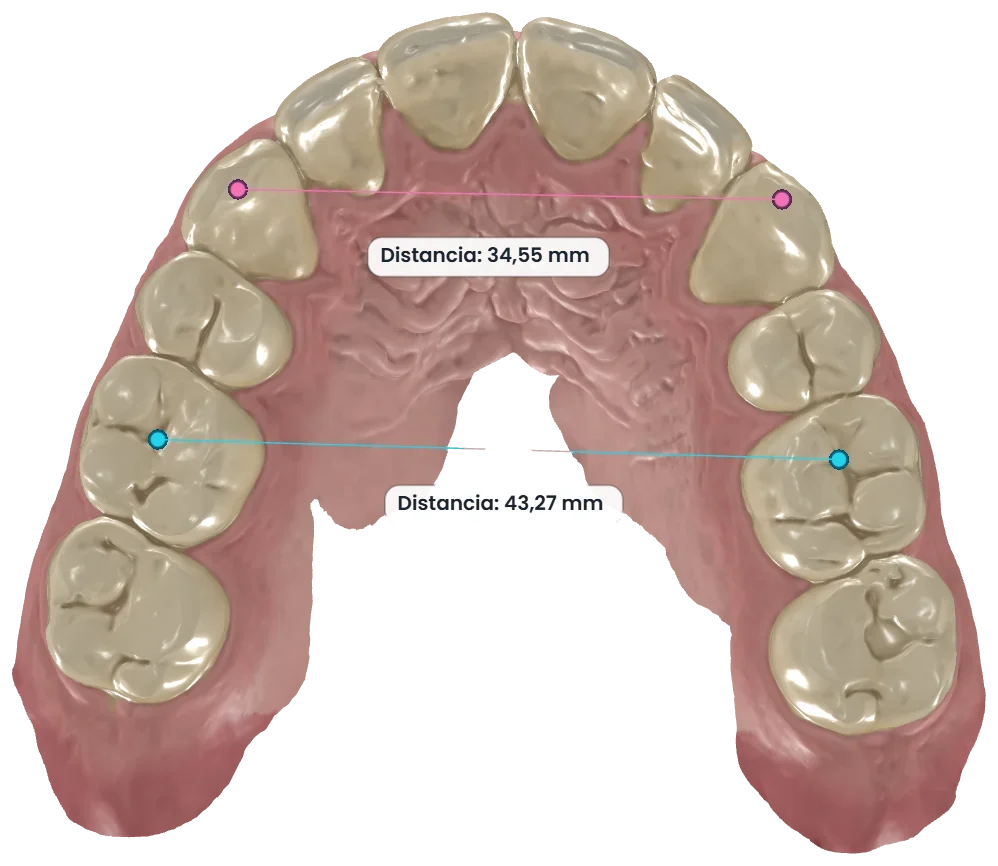
Distances, angles and paths along the surface, and model sections drawn at real size with their measurements. All indicative.

  • Distance, angle and surface
  • Sagittal, coronal, axial or two-point sections
  • Occlusal contacts between both arches
  • Export the measurements to CSV
Distance measurements on the upper arch

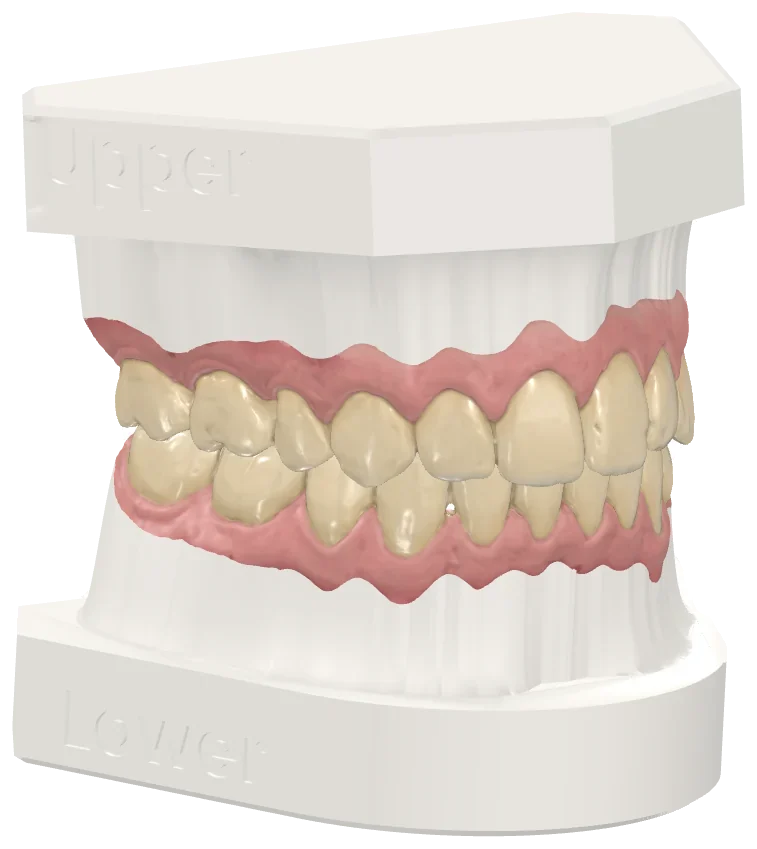
Virtual model bases, ready to print

Choose a preset or go step by step: the program trims the scan, builds the base and exports it as STL for your 3D printer.

  • ABO, horizontal or vertical base
  • Hollowed with honeycomb and drain holes to save resin
  • Engraved labels, pins and hinge
  • Both arches at once
Models with ABO base and engraved labels

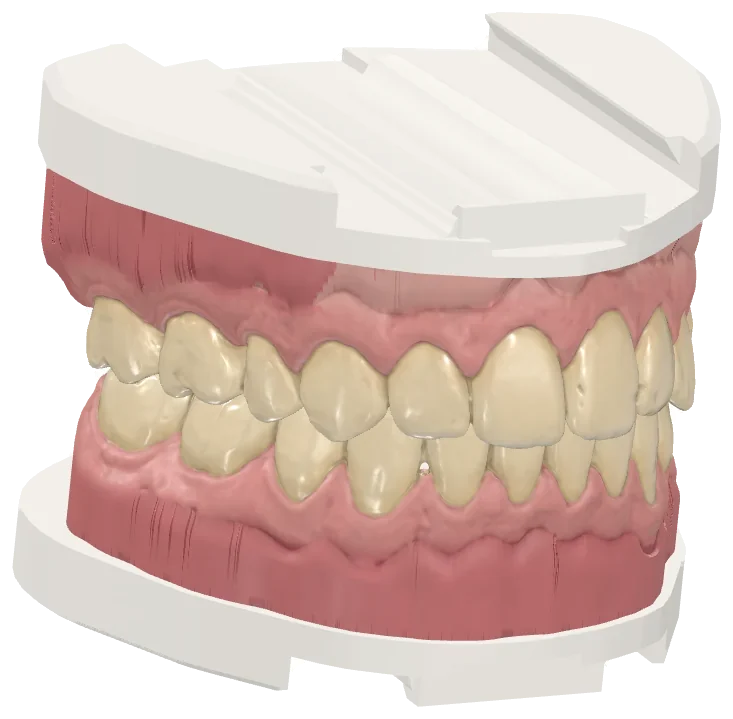
Model bases for analog articulators

Prepare the model bases to mount them on your analog articulator: with rail, with the tresD universal plate or with the S, M and L bases. You do the mounting yourself, on your articulator.

  • Bases with rail and with the tresD universal plate
  • S, M and L bases to download and print
  • Test pieces to tune the clearance to your printer
Models with their rail base for the analog articulator

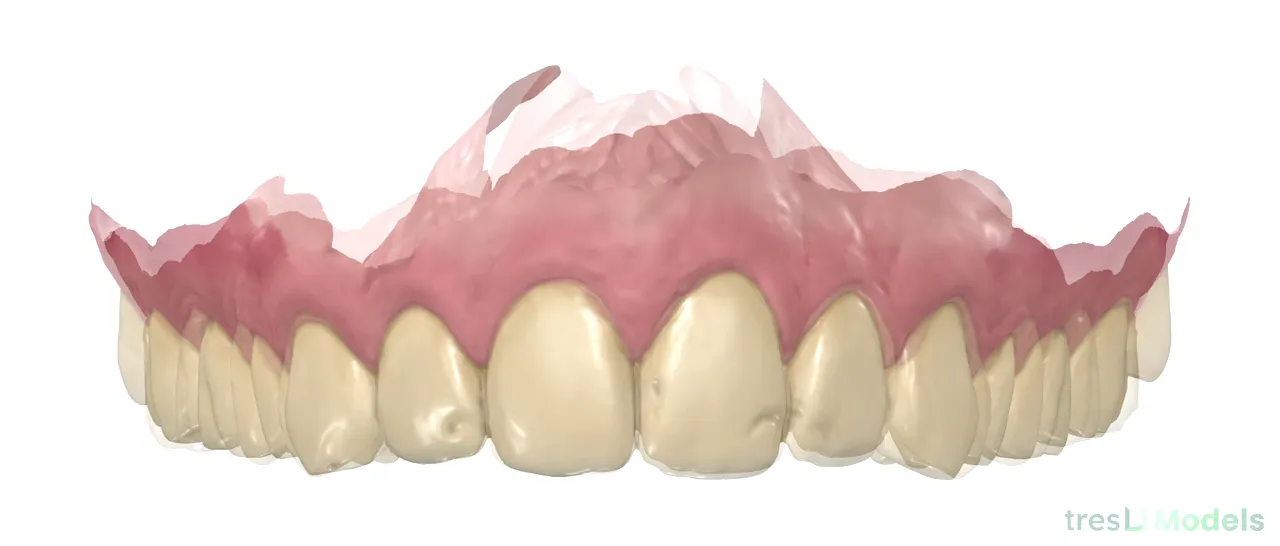
T0 – T1 superimposition

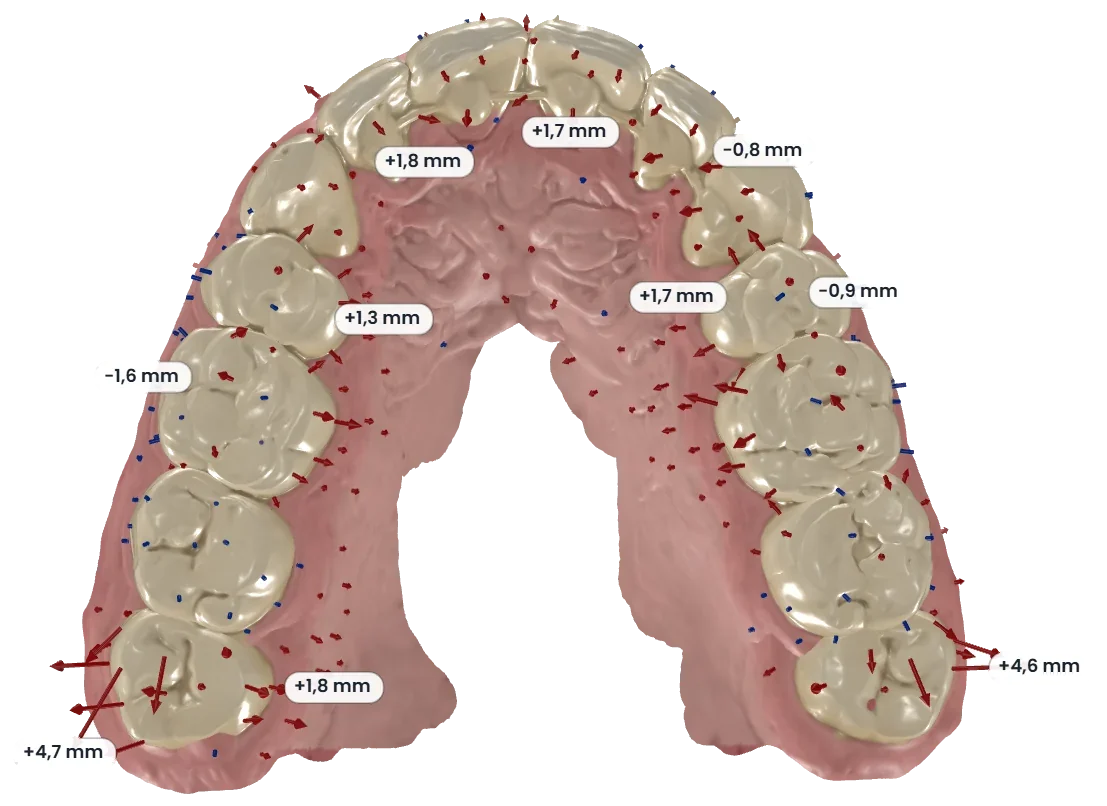
Superimpose two or more time points of the treatment on the palatal rugae, the whole model, an area you paint or three points, and see in a color map how much and in which direction each area has changed.

  • Colour map of differences in millimetres
  • Movement arrows and change values
  • T0, T1, T2, T3 series and side-by-side view
  • Animation video in MP4
Superimposition with movement arrows and values in millimeters

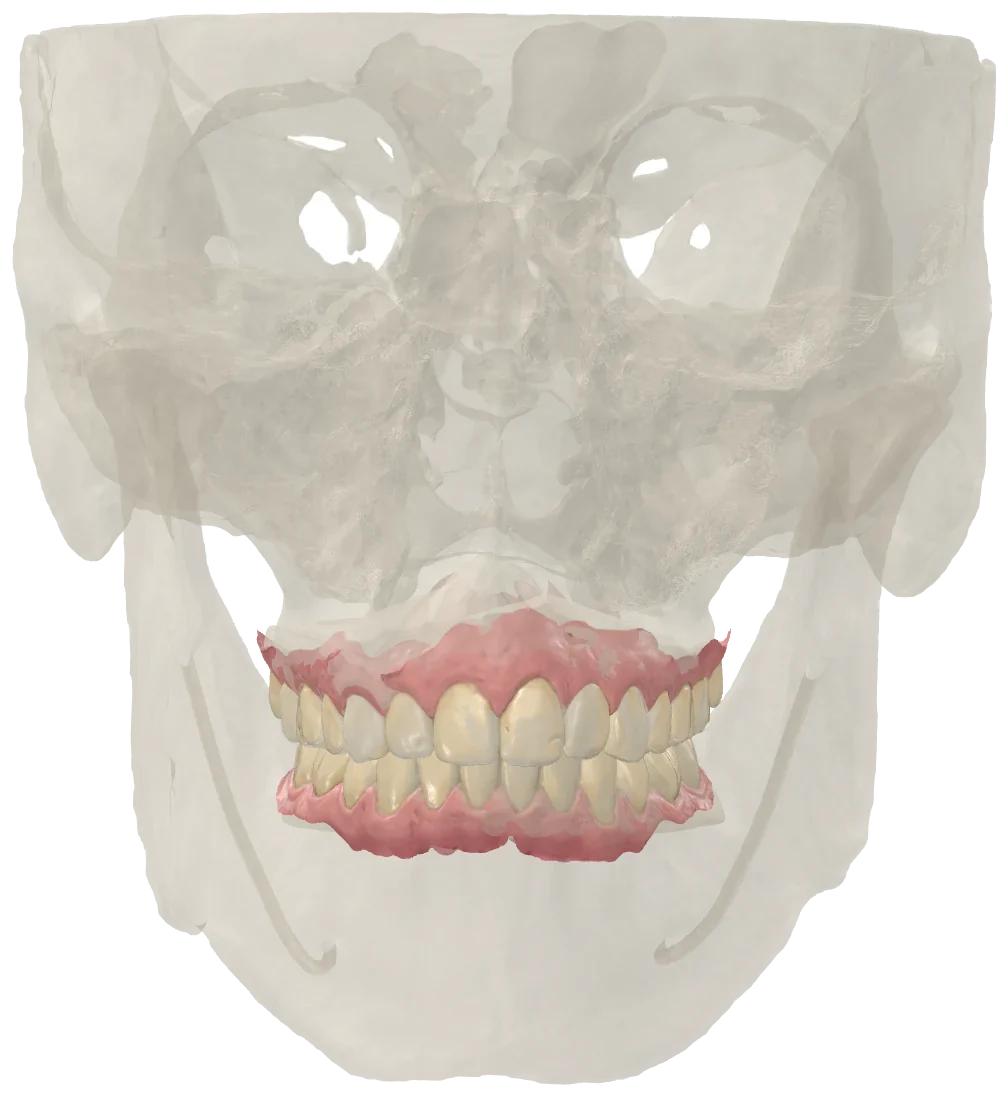
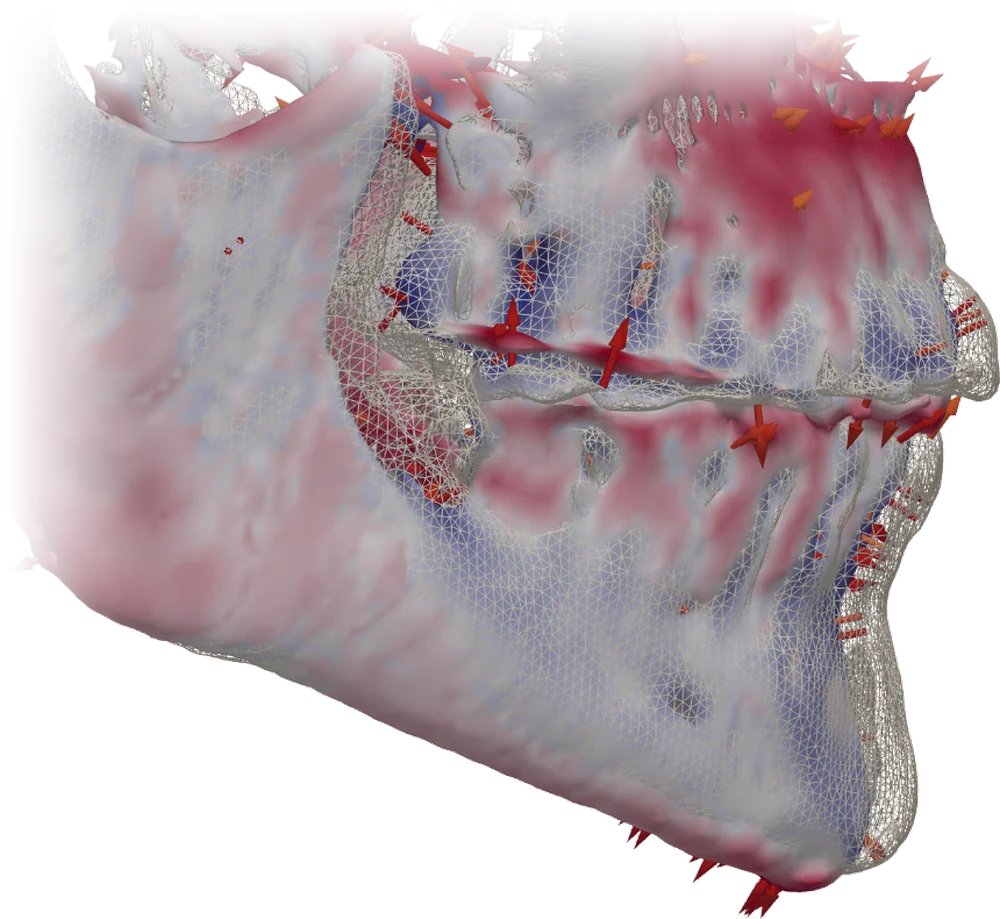
CBCT meshes, to see the context

Open the skull, maxilla or mandible exported from your CBCT together with the scans. For viewing only: they are not measured or used for planning.

  • Placed on the models with three points
  • Opacity and color of each mesh
Intraoral scans with the skull mesh from a CBCT, for viewing only

Downloads

The plates and bases used by the tresD Models virtual base, in STL and ready to print.

tresD universal plate

The plate with three-ball coupling and magnet to plaster the models to the articulator, with its README and the step-by-step mounting guide.

STL · HTML · ZIP Download

S, M and L bases for the rail plate

Six bases (upper and lower, in three heights) with the magnet face for the articulator and the rail for the model base, with its README.

STL · ZIP Download

Clearance test pieces

Five female and five male rail pieces with different clearances, to choose the one that fits well with your printer and resin.

STL · ZIP Download

Always check the parts in your printing software before printing. The bases for each case are made in the program, with «Virtual model base».

tresD DICOM: superimposition of two CBCTs with color map and arrows From the makers of tresD Models Do you also work with CBCT? Try tresD DICOM, our free DICOM and CBCT viewer, also in the browser with nothing to install: MPR slices, 3D render, panoramic, airway, TMJ and superimposition of two studies. Try tresD DICOM for free

Which scanners it works with

With the files your intraoral scanner exports: STL, PLY (with its color) or OBJ, loose or inside a ZIP. And with STL meshes exported from a CBCT, for viewing only.

STLPLYOBJZIP.tresdmodels

What you need

  • An up-to-date Chrome, Edge, Firefox or Safari (Chrome or Edge preferred).
  • 8 GB of memory; 16 GB if you work with many models at once.
  • Any graphics card; the virtual base and the superimposition run faster on a modern computer.
  • Nothing to install, no sign-up.

Frequently asked questions

Is it really free?

Yes. No account, no 15-day trial, no hidden paid tier.

Are my scans uploaded to a server?

No. The browser reads the files directly from your disk and all the computing happens on your computer. There is no server receiving scans, so there is nothing to delete afterwards.

Can it be used for diagnosis or treatment planning?

No. tresD Models is a visualization and teaching tool: it is not a CE-marked medical device. Measurements and superimpositions are indicative and the professional's judgement always prevails.

Does it work with my intraoral scanner?

If it exports STL, PLY or OBJ, yes: the brand does not matter. It orients the models automatically and, if both arches come from the same scan, keeps the bite. If yours gives you trouble, write to us and we will look into it.

Can I print the bases?

Yes. The virtual base exports each model as a closed STL, ready for your printing software. Always check it there before printing.

Can I save a case and carry on another day?

Yes. The whole case is saved in a .tresdmodels file and reopens exactly as you left it. And if the tab closes by accident, you are offered to recover it when you come back.

Can I make a video of the superimposition?

Yes. From the superimposition you export the animation from T0 to T1 (or the whole series) in MP4, with the views and duration you choose.

Your files never leave your computer

There is no server receiving the scans: the browser reads them directly from the disk and all the computing happens on your computer. That is why there is no need to register.

What's new · v0.2.0

  • Four languages (Spanish, English, Portuguese and Russian) and the help with its quick guide.
  • Step-by-step superimposition: T0 to T3 series, side by side, movement arrows and MP4 video.
  • Virtual base: S, M and L bases for analog articulators and a 2.5 mm hollow wall.
  • Edit models: the lasso, the «Magic» brush and a gingival margin that is kept when you edit it.

The program updates itself: just reload the page.

A question or an idea?

Tell me what is missing or what does not work for you: almost everything in the program came from a suggestion.

[email protected]

Shall we try it with one of your cases?

Drag your scans in and you're done.

Open tresD Models